
Revenue teams track everything and explain nothing
Pipeline reviews that end where they started
Nobody owns the number between the numbers
Every tool promises insights to action. None of them close the loop.
See the revenue engine as a driver tree
- Revenue decomposes into pipeline, win rate and average deal value, with expansion and renewal levels added to match how your business actually earns
- Every edge in the tree carries a direction, a confidence level and a significance score, retested nightly as new periods land
- Metrics from tools that never reach the warehouse, like billing or sales engagement platforms with an MCP server, join the tree through MCP data sources with the same ownership and targets
- Your CRM and your BI reports stay put. The tree is the layer that connects what they record.
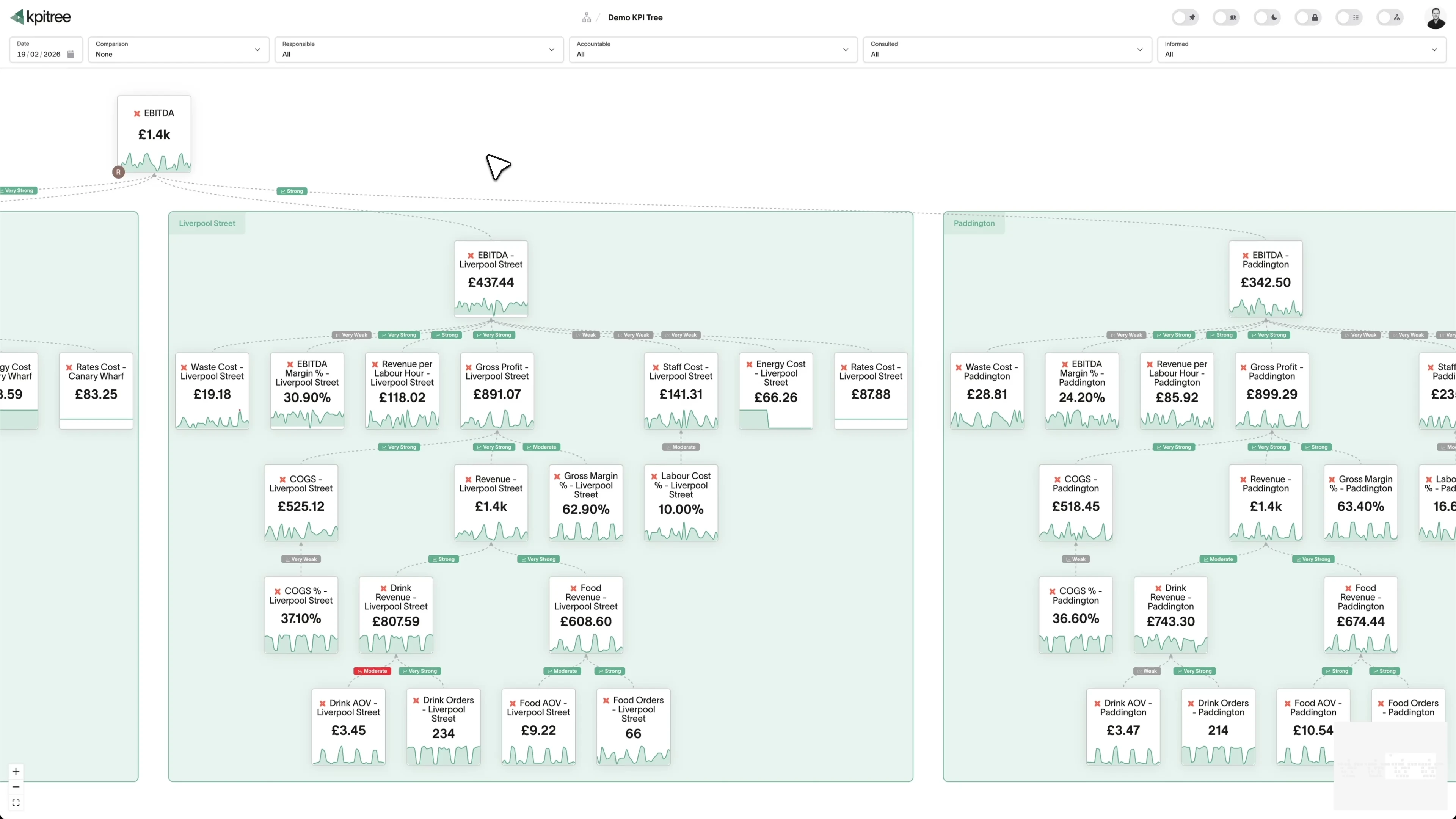
Find the real bottleneck, not the loudest symptom
- Drivers behind any change are ranked by impact, with the statistical confidence of each relationship shown alongside
- Waterfall change insights show exactly what each driver added to or removed from the number
- Trace a miss level by level down the tree to the input that actually moved, before the meeting starts
- Stop solving the wrong problem because someone senior had a hunch
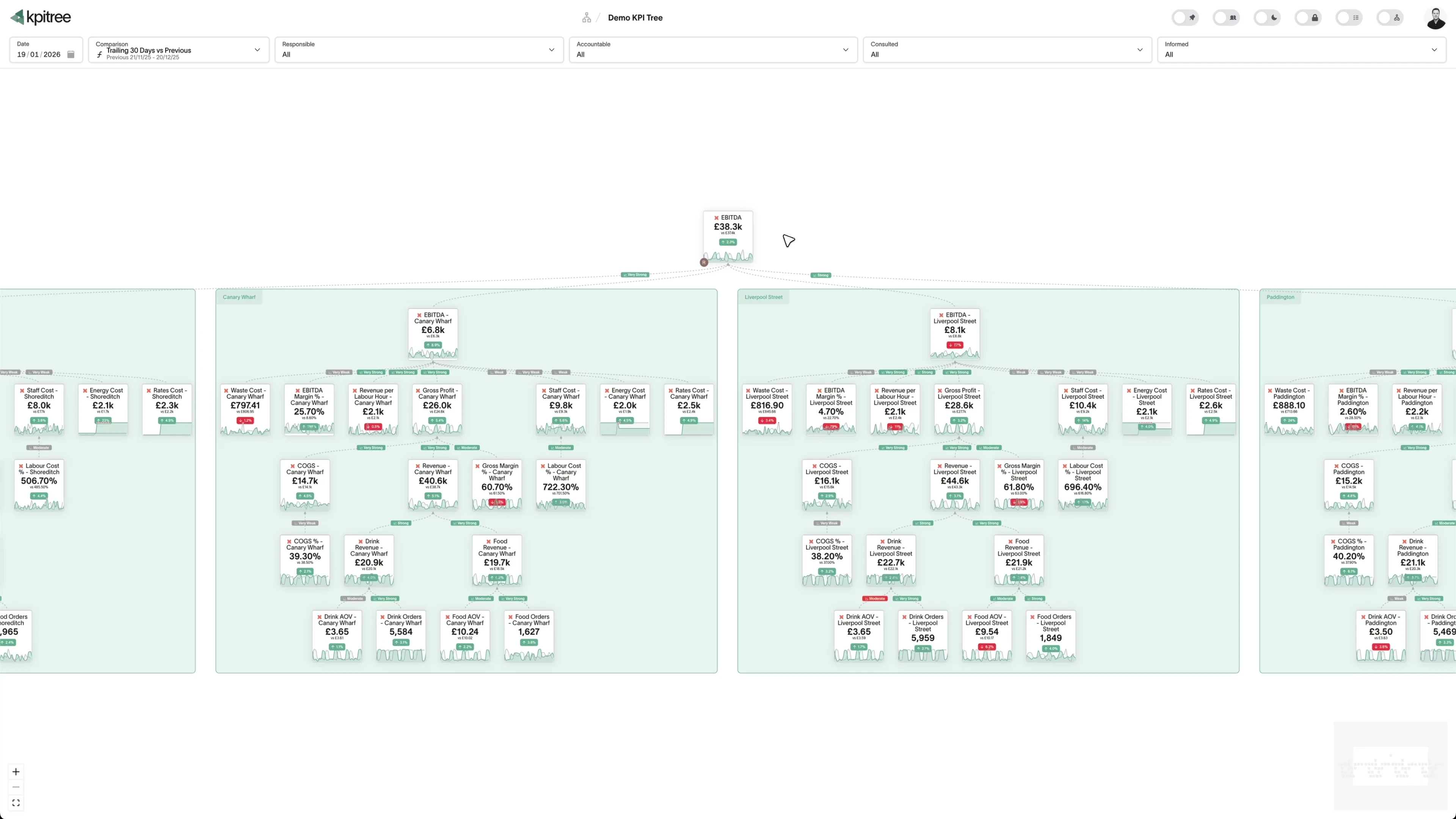
Every miss lands with a named owner, not a channel
- A VP owns pipeline. A manager owns stage conversion. A rep owns activity volume. Each person sees exactly what moves when they do.
- Triggers fire on threshold crossings, outliers, silent metrics that stop updating, and period-close target misses with a tolerance you set
- Owners are notified in Slack or email, and the push escalates to their manager automatically when nothing happens
- Every workflow run keeps its history, so you can see the exact path from trigger to action
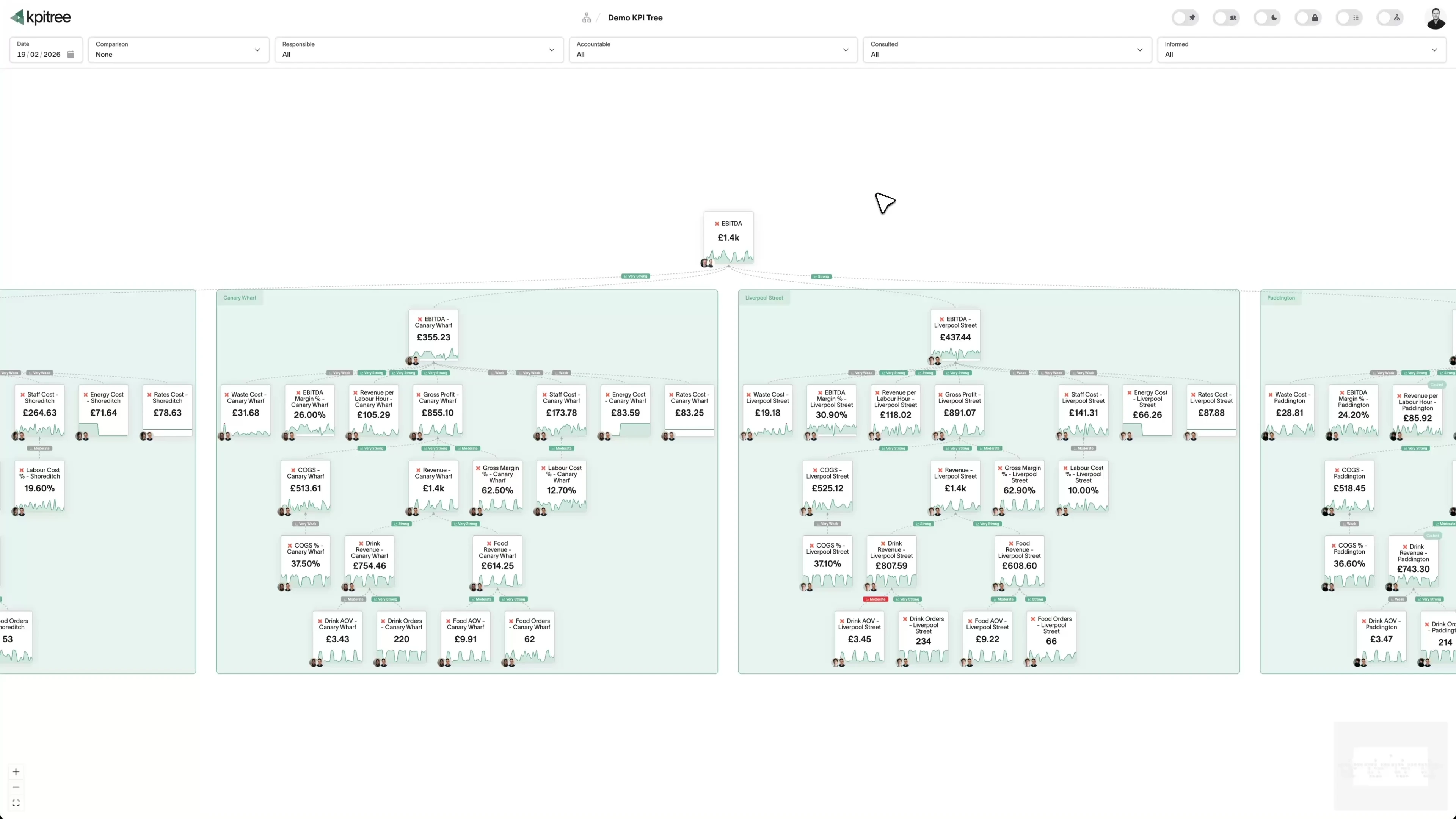
Actions with verified impact, not anecdotes in the QBR
- Every action links to the metric it targets, so two weeks later the number says whether it worked
- Targets track themselves and complete when the metric hits them, so nobody types progress into a status field
- Verified outcomes sharpen future recommendations, because the model learns from the actions reps and managers actually took
Ask about the pipeline where the deal review already happens
- Answers are scoped to the permissions of whoever asks, so a rep in Slack sees exactly what they would see in KPI Tree
- Agents connected over MCP read the driver edges with their significance scores, the named owner, and whether the last action worked
- Answers draw on comparisons precomputed in KPI Tree's own compute engine, and a daily spend cap per workspace keeps AI cost predictable
“Your CRM records every call and your BI tool charts every stage. Neither can say what is dragging the number down with statistical confidence, who should act on it, or whether the action worked.”
Your CRM records activity. KPI Tree reveals the system.
Structure, not just charts
Ownership that changes behaviour
Evidence, not opinion
Common questions
How is this different from the dashboards in our CRM?
CRM dashboards show metrics in isolation: pipeline here, conversion there, activity somewhere else. KPI Tree connects them into a driver tree where every relationship carries a confidence level and statistical significance, tested against your data nightly. When pipeline drops, you trace the movement to the driver that caused it, the named owner is notified, and the response is tracked until the number says whether it worked. A dashboard shows that something changed. The tree shows why, who, and whether the fix worked.
What data sources does KPI Tree connect to?
KPI Tree reads from your data warehouse, through your semantic layer if you have one, so the numbers always match the source of truth. Sales metrics that never land in the warehouse, from billing, sales engagement or support tools that expose an MCP server, connect through MCP data sources and behave like any other metric, with the same ownership, targets and triggers. Google Sheets works alongside for the numbers that live outside both.
How long does it take to build a revenue tree?
Most sales teams have their first tree live within a day. Describe your funnel in plain English and AI drafts the nodes and relationships, from activity metrics up to revenue. Your team corrects the draft, and from that point the nightly statistical tests judge every relationship in it. If your metrics are already defined in your semantic layer, setup is mostly selection rather than modelling.
Does ownership actually change anything, or is it just a label?
It changes behaviour, because it never travels alone. When an owner's metric moves, they are notified with the driver behind the change and its statistical confidence attached. They log an action against that metric, and the impact is read from the number itself rather than self-reported. If they do nothing, the push escalates up the live org chart to their manager. Accountability with context, tracked actions and verified impact is what changes how someone thinks about their number. A label on a dashboard does not.
Can reps and managers use it without leaving Slack?
Yes. Mention KPI Tree in any channel to ask how a metric is doing, what is driving a change, or who owns it, and the answer arrives in the thread with charts and one-tap follow-ups. Every answer is grounded in the same tree and scoped to the asker's permissions, so people see in Slack exactly what they can see in the app, and admins set a daily cap per workspace so AI spend stays predictable.
What happens when the quarter closes and a target was missed?
A period-close trigger fires when a metric ends the period off target, with a tolerance you set for how far it can slip, and it routes the miss to the named Accountable owner with the driver that caused it attached. The same workflow can require an approval, create tasks, or push the miss up the reporting line if nobody responds, and every run keeps a history of the exact path taken.
Related guides

Metric trees for sales teams
Connect every rep activity to a revenue outcome
Leading vs lagging indicators explained
How leading vs lagging indicators connect in a metric tree
Conversion rate: a metric tree decomposition
Break conversion rate into its component parts so you can see exactly where prospects drop off and how to fix it
See the structure your pipeline reviews have been missing
Book an hour. We'll show you how a revenue tree works: a metric moves, the named owner is notified with the driver attached, and the action is tracked until the number answers. No slides, no generic dashboards. Just your revenue engine, structured.